
Track Sponsors, Commitments & Payments
Keep one picture of who said yes, at what package, and whether money is in or still outstanding.
What good looks like
Once someone says yes (or “we’re in for Gold”), you need a shared record of the deal:
- Which company committed
- At what package / amount
- Who the primary contact is
- Whether money is in or still outstanding
Chairs who run this well can open one view and answer: total committed, collected so far, who’s late, and whether the year’s goal is in reach. Exports for the treasurer or faculty advisor take minutes, not an evening.
Agreements, invoices, and receipts are covered in the next guide. This step is the operational scoreboard: sponsors, commitments, and payment status.
Where it usually breaks
- “Yes” lives in a reply three threads deep. The spreadsheet still says Pending.
- Custom packages are not reflected anywhere official.
- Payment chasing is a separate inbox ritual disconnected from the sponsor list.
- Nobody trusts the numbers for board updates.
Billing coordination is a huge share of real sponsorship email. Tracking status next to the company is what keeps that work sane.
How Anchor helps
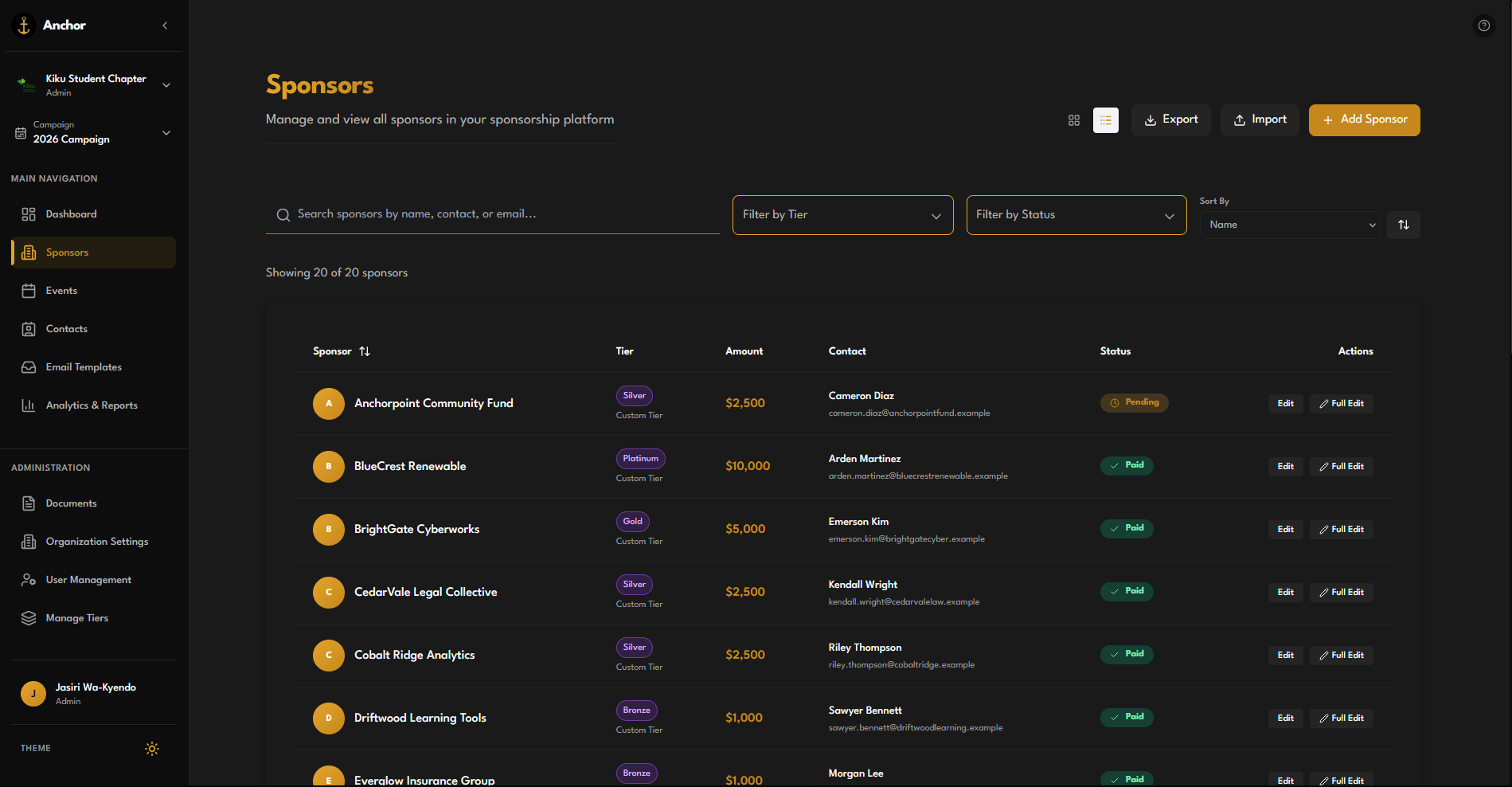
In Anchor, each company’s deal for this year’s cycle is a sponsorship on your Campaign: optional tier, amount, and Paid / Pending. The Sponsors table is built for triage: search, filter by tier or status, jump to edit.
Your Dashboard (the Dock) rolls up total sponsorship, active sponsors, paid counts, and a payment overview (committed vs collected vs outstanding). Goal progress sits on the campaign so the whole team sees the same story.
Try it
- Open Sponsors and filter to Pending when you’re chasing payments.
- Set the tier when the package is agreed. Mark Paid when funds clear.
- Return to the Dashboard for the pie and goal bar before your next exec meeting.
- Use Export when someone outside Anchor needs a clean list.